Google Releases New Gemini Feature that Turns Users’ Face and Voice into Avatars
In Focus
- The Gemini Avatar feature allows users to create digital versions of themselves
- The new tool can replicate user voice and appearance
- Gemini links the avatar to the user’s Google account after setup
- Only users aged 18 and above can use the new Gemini Avatar feature
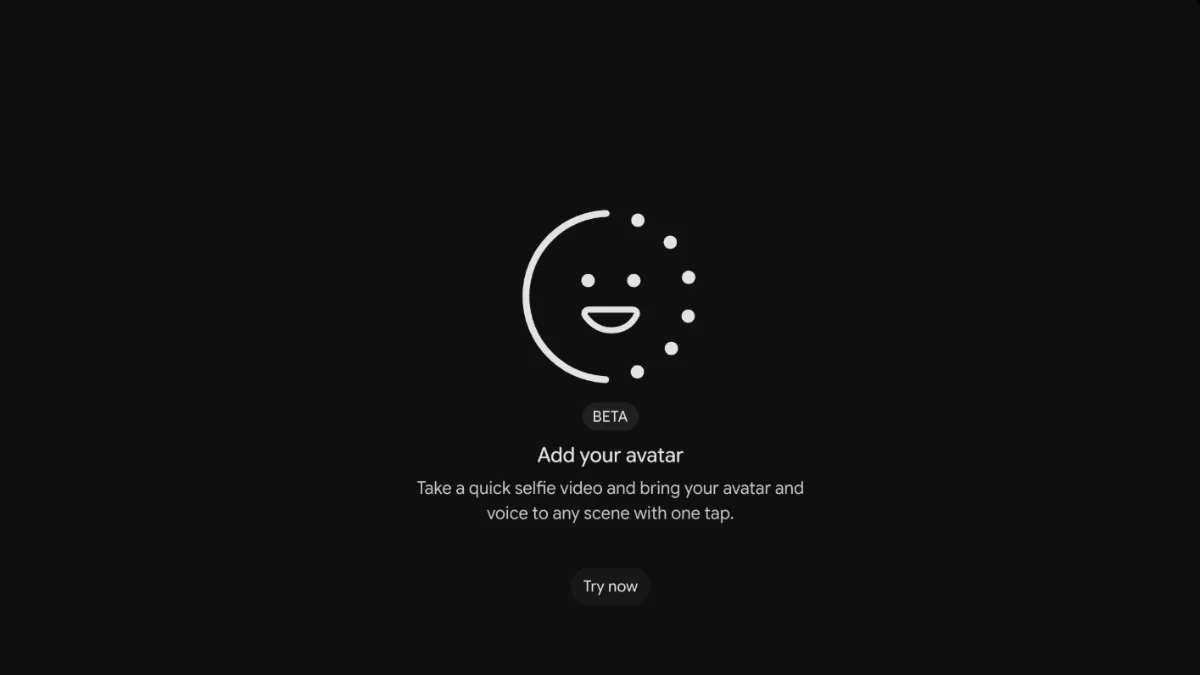
Google is introducing an Avatar feature in Gemini for paid subscribers. With this feature, users can create digital versions of themselves using AI-powered tools. They can use the avatars to generate videos and other content formats in Gemini. Google’s Gemini Avatar feature is powered by Gemini Omni, the new video generation AI model that the tech giant said can generate anything from any input.
How Does Gemini Create Avatars?
Gemini Avatar can replicate inputs such as the user’s voice and appearance. The new feature can be accessed via the Gemini app through the Settings section. Alternatively, users can prompt the the avatar feature in Gemini conversations using specific commands. After enabling the tool, users can personalize their AI avatars to match their facial features, mannerisms, and voices.
According to Google, setting up the Avatar involves two major steps. The first step is the camera-based orientation session. During this session, they hold smartphones at eye level and follow prompts to capture images of their face in different angles. Gemini uses the images to create detailed models of a user’s facial structure.
The second step is the voice training where Gemini requests users to read different phrases and numbers out loud. This exercise enables the system to analyse a user’s speech patterns, accent, tone, and cadence.
What Happens After Avatar Setup?
Upon completing the setup phase, Gemini links the avatar to the user’s Google account. The avatar is also replicated across all Gemini experiences. To generate facial and voice scans that are acceptable to Gemini, Google advises users to maintain proper lighting and keep phones held at eye level.
Additionally, users should keep their eyes, nose, and mouth visible throughout the setup process to create realistic Gemini AI avatars. Glasses can be included in user avatars. However, masks, sunglasses, and hats are not allowed. Users are also advised to avoid having images or other people in the background when setting up their avatars. Users must be 18 years old or more to use the Gemini voice cloning feature.
How Does Google Protect Avatars from Misuse?
Google has introduced several measures to safeguard its AI-generated avatars. The company requires users to be physically present during the avatar set up process. The company said all videos generated with the Gemini Avatar feature will carry Google’s SynthID watermark, which the company embeds directly into content.
The watermark can be detected using the company’s verification tools. With these requirements, viewers can identify AI-generated content and reduce misuse. It’s still not clear whether the tech giant will make the Avatar feature available to free-tier Gemini users.